Ever looked at your WooCommerce store and felt something was missing right at the top? A boring default header doing absolutely nothing to sell. It’s a familiar feeling. You want banners. Promotions. Visual hooks. But then comes the fear theme files, broken layouts, updates wiping everything out.
Here’s the truth. You don’t need to touch your theme at all. Not even once.
WooCommerce gives you enough flexibility to add custom header banners safely, cleanly, and without the stress. This article walks you through exactly how to do that, in real-world ways, not theory. No heavy coding. No panic. Just results.
Why Header Banners Matter in WooCommerce
People don’t read stores. They scan them. Fast. A header banner is often the first thing they see. Before products. Before prices. Before trust badges. A good banner sets the mood instantly.
“Sale is live.”
“New arrivals.”
“Free shipping today only.”
That split-second matters more than you think. Header banners also help customers feel guided. Like someone is gently pointing and saying, “Start here.” And in ecommerce, guidance equals conversions.
Common Problem: Theme Editing Risks
Most store owners learn this the hard way. They Google a tutorial. Open header.php. Paste some code. Hit save. White screen.
Even when it works, it doesn’t last. Theme update comes. Everything disappears. Panic again. Editing themes is fragile. One typo breaks everything. And unless you’re living inside WordPress daily, it’s not worth the risk. That’s why avoiding theme edits isn’t laziness. It’s smart.
Method 1: Using a Banner or Header Plugin (No Code)
This is where most people should start. Honestly. Banner images for WooCommerce plugins are built for one job. Showing banners. You install one. Upload an image. Choose where it appears. Done.
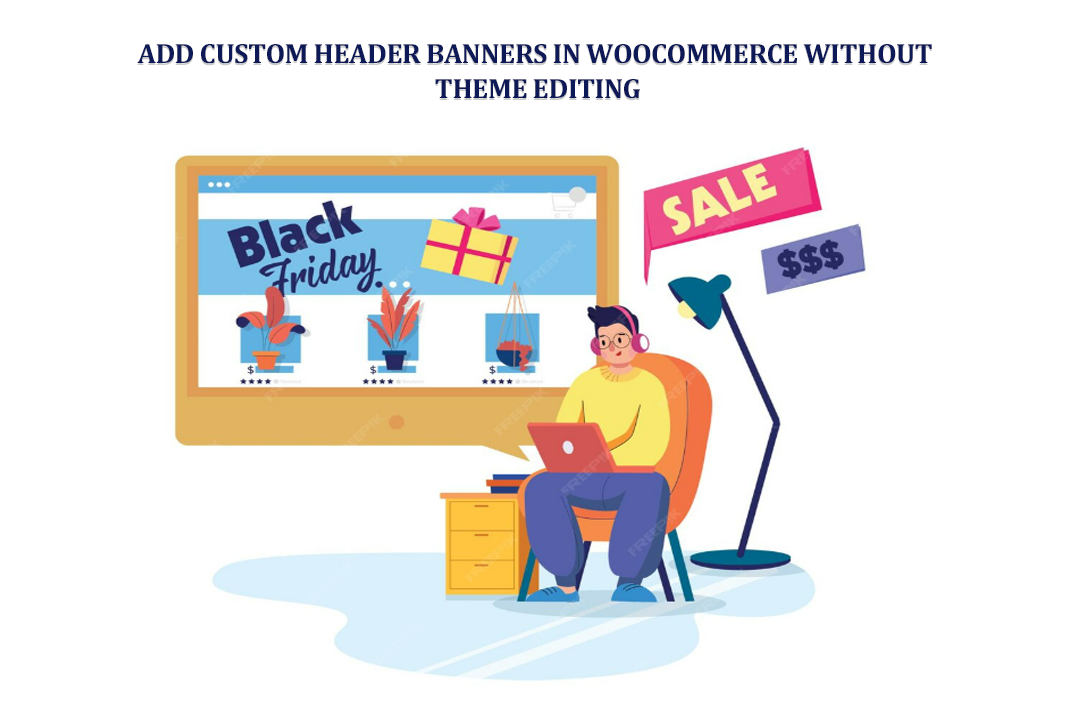
Some plugins let you add countdown timers. Others allow buttons. Some even schedule banners automatically. So, your Black Friday banner shows up exactly when needed. And disappears when it’s over. No files edited. No stress.
Simple. Clean. Effective.
Method 2: Using Page Builders (Elementor, Gutenberg, etc.)
Now imagine this. You’re dragging sections. Dropping images. Adjusting spacing visually. No guessing. That’s the power of page builders.
Elementor users especially love this method. You design a banner like a mini landing page. Add background images. Headings. Buttons. Then assign it to your shop or category pages.
Even Gutenberg has stepped up. Blocks. Reusable sections. Conditional display plugins make it flexible enough now. It feels creative. Almost fun. And you still haven’t touched the theme.
Method 3: WooCommerce Hooks via Plugins (Code-Free)
Hooks sound scary. They’re not. Not anymore. WooCommerce has built-in hook locations. Like “before shop loop” or “before product summary.” Normally, you’d need code to use them. But plugins changed that.
Now you just select a hook from a dropdown. Add your banner content. Save. That’s it. It’s powerful because you control placement precisely. Right above products. Right below breadcrumbs. Exactly where it converts best. And still. No theme edits.
Method 4: Using Conditional Content Plugins
This is where things get clever. Conditional content plugins let you show banners only when it makes sense. Different banner for different people. Different pages. Different devices.
Someone browsing hoodies sees a winter sale banner. Someone on checkout sees free shipping info. Mobile users see a smaller banner. Desktop gets the full version.
It feels personal. Intentional. Like your store understands the customer. And customers notice that. Even if they don’t say it.
Method 5: Custom Headers with WooCommerce-Compatible Plugins
Some plugins go all-in. They replace your header entirely. Without touching your theme. You design multiple headers. One for shop pages. Another for categories. A simplified one for checkout. Clean. Focused.
This is perfect if your theme’s default header feels limiting. Or outdated. Or just wrong. You stay update-safe. And gain total control.
Adding Banners to Specific WooCommerce Pages
Shop Page
The shop page is prime real estate. A banner here sets the tone for everything below. A seasonal sale. A brand messages. Or a simple “Shop Our Bestsellers.” It works because it frames the browsing experience.
Product Category Pages
Category banners are underrated. Seriously. They give context. They tell a story.
“Summer Essentials.”
“Work from Home Gear.”
“Clearance Zone.”
This is where banner images for WooCommerce shine the most. Visual cues help customers emotionally connect with categories, not just products.
Single Product Pages
Less is more here. A small banner highlighting returns, guarantees, or urgency works well. Don’t overshadow the product. Support it. Think whisper. Not shout.
Best Practices for WooCommerce Header Banners
Keep banners purposeful. Every banner should answer one question: Why should I care?
Avoid clutter. Big images. Tiny text. Bad contrast. These kill effectiveness.
Compress images. Always. Speed matters more than design sometimes.
Mobile-first thinking helps. If it looks good on mobile, desktop usually follows.
And never forget the CTA. Even a subtle one.
SEO Considerations for Header Banners
Yes, banners affect SEO. Indirectly. But still important. Heavy images slow pages. Slow pages rank worse. Simple math. Use alt text. Real alt text. Not keyword stuffing nonsense.
Don’t replace proper headings with image text. Search engines can’t read your fancy banner fonts. Accessibility matters too. Color contrast. Readable fonts. Keyboard navigation. Good UX equals good SEO. Every time.
Comparing Methods: Which One Is Right for You?
Plugins are fast. Builders are flexible. Hooks give precision. Conditional tools give intelligence. Header builders give control. There’s no single right answer. Just the right fit for your store. Start simple. Grow smarter.
Future-Proofing Your WooCommerce Store
Themes change. Plugins update. Trends shift. But stores that avoid theme edits survive longer. They adapt faster. They break less. Future-proofing isn’t about complexity. It’s about choosing tools that respect change. And WooCommerce rewards that approach.
Conclusion
So, here’s the takeaway. You don’t need to be a developer to build a visually strong WooCommerce store. You don’t need child themes. Or risky edits. Or late-night debugging sessions. Custom header banners are completely achievable without touching your theme. Plugins. Builders. Smart placement. That’s all it takes.
When done right, banners guide users. Build trust. Increase conversions. And quietly do their job in the background. And the best part? Your store stays safe. Update-proof. And ready for whatever comes next.