

Top 10 Best AI Tools in 2027 for Business and Productivity
Businesses are using artificial intelligence to simplify everyday work, build better software and improve how they support their customers. From writing emails to automating intricate business processes, AI tools help professionals complete their work with less manual effort.
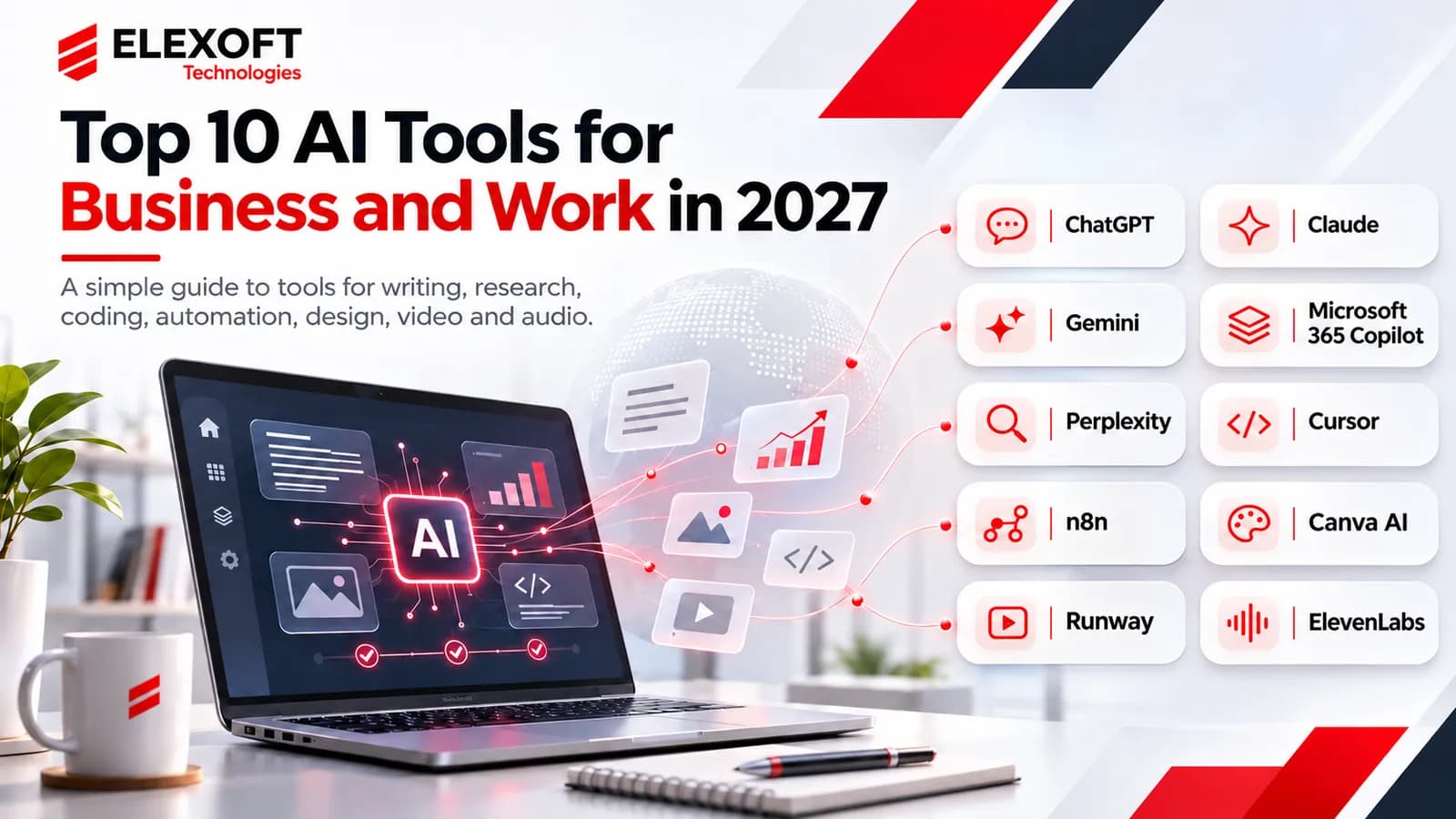
The top 10 AI tools to consider in 2027 include ChatGPT, Claude, Google Gemini, Microsoft 365 Copilot, Perplexity AI, Cursor, n8n, Canva AI, Runway and ElevenLabs.
Each tool serves a different purpose. Some AI tools help businesses create content while others help with research, software development and daily tasks. This guide explains their features, benefits, costs and limitations to help you choose the right AI tools for your needs.
Top 10 AI Tools at a Glance
The following AI tools list compares popular platforms based on their key features and use cases. These recommendations for 2027 are based on capabilities available in November 2026.
AI Tool | Best For | Free Access |
ChatGPT | Everyday tasks and AI assistance | Yes |
Claude | Writing and document analysis | Yes |
Google Gemini | Research and Google Workspace | Yes |
Microsoft 365 Copilot | Business productivity | Limited with eligible plans |
Perplexity AI | Research and information discovery | Yes |
Cursor | Coding and software development | Limited |
n8n | Business workflow automation | Community Edition |
Canva AI | Graphic design and marketing | Limited |
Runway | Video generation and editing | Limited credits |
ElevenLabs | Voice and audio generation | Yes |
How We Selected the Best AI Tools
The selection considers the pragmatic needs of businesses, developers and professionals. Each platform was evaluated using available product information, including its features, ease of use, pricing, integration options, and suitability for daily work.
These recommendations are based on product research rather than independent performance testing.
10 Best AI Tools for Business and Work in 2027
The following platforms cover some of the most useful applications of artificial intelligence. They help businesses organize information, automate daily tasks, create content and improve how they work.
1. ChatGPT: Best for Everyday AI Assistance
ChatGPT is a versatile AI assistant developed by OpenAI. It helps users write content, analyze documents, generate ideas and solve technical problems. Businesses can use it to create reports, communicate with customers and keep information organized.
Key Features
- Content writing and document summarization
- Data analysis and problem solving
- Image generation and file analysis
- Coding assistance and business planning
Business Use: Sales teams can use ChatGPT to write proposals, summarize customer needs and prepare professional emails.
Pros: Simple to use and helpful for a wide range of tasks.
Cons: Information may require verification, and some features have usage limits.
Pricing: A free plan is available. ChatGPT Plus costs $20 per month.
Official Website: ChatGPT
2. Claude: Best for Writing and Reviewing Documents
Claude is an AI assistant created by Anthropic. It helps users review long documents, organize detailed information and write clear, well-structured content. Its dialogue-based interface allows users to explain requirements and refine results through follow-up questions.
Key Features
- Long document analysis and summarization
- Professional writing and content editing
- Coding and logical problem solving
- File creation and information organization
Business Use: A project manager can use Claude to review project requirements, find missing information and prepare documents for developers.
Pros: Helpful for understanding complex documents and explaining information clearly.
Cons: Usage limits vary by selected plan and task complexity.
Pricing: Free access is available. Claude Pro costs $20 per month with monthly billing.
Official Website: Claude
3. Google Gemini: Best for Working with Google Workspace Tools
Google Gemini helps users find information, analyze files and create content through artificial intelligence. Its integration with eligible Google Workspace applications makes it useful for businesses that regularly use Gmail, Google Docs, and Google Sheets.
Key Features
- Text, image and document understanding
- Research and information summarization
- Assistance with Google Workspace applications
- Data analysis and content generation
Business Use: A marketing team can use Gemini to organize research, create marketing documents and summarize data from spreadsheets.
Pros: Convenient for professionals using Google products.
Cons: Available features depend on the account, region and subscription.
Pricing: Free access and paid Google AI subscriptions are available. Business pricing depends on Workspace requirements.
Official Website: Google Gemini
4. Microsoft 365 Copilot: Best for Improving Daily Business Work
Microsoft 365 Copilot brings artificial intelligence into workplace applications such as Word, Excel, PowerPoint and Teams. It helps employees prepare documents, understand business data and complete routine office tasks within the Microsoft environment.
Key Features
- Document writing and editing in Word
- Spreadsheet analysis in Excel
- Presentation assistance in PowerPoint
- Meeting summaries and work-related communication
Business Use: A finance team can use Copilot to explore spreadsheet data and prepare reports for management review.
Pros: Integrates with familiar Microsoft business applications.
Cons: Full functionality requires suitable Microsoft licenses and permissions.
Pricing: Copilot Chat is included with eligible Microsoft 365 plans. Advanced business features require appropriate subscriptions.
Official Website: Microsoft Copilot
5. Perplexity AI: Best for Research and Finding Information
Perplexity AI is an AI-powered search tool that helps users find information and provides links to the sources used in its answers. It helps professionals explore topics, compare information and find supporting material without manually reviewing every search result.
Key Features
- AI search with source references
- Detailed research and topic exploration
- Information summarization
- Access to pro AI models on eligible plans
Business Use: A business development team can research competitors, explore industry shifts and collect information before preparing a market analysis.
Pros: Makes original information sources easier to discover.
Cons: References and generated conclusions still require human verification.
Pricing: Free search is available alongside paid Pro and business plans.
Official Website: Perplexity AI
6. Cursor: Best for Coding and Software Development
Cursor is an AI code editor designed to help developers write, understand and improve software. It uses project context to suggest code changes, explain existing files and assist with debugging. Cursor is a helpful AI tool for developers who want to write, review and improve their code.
Key Features
- AI code generation and suggestions
- Project and codebase understanding
- Debugging and code improvement
- Coding agents for development tasks
Business Use: Developers can use Cursor to understand existing applications, prepare new features and identify possible code improvements during web development.
Pros: Assists directly within the development environment.
Cons: Generated code requires testing and security reviews.
Pricing: Limited free access and paid subscription options are available.
Official Website: Cursor
7. n8n: Best for AI Workflow Automation
n8n is an automation tool that connects different apps, databases and AI models to perform tasks automatically. Enterprises can use it to automate repetitive tasks and transfer information between different systems. It also supports AI agents that perform tasks within defined workflows.
Key Features
- Visual workflow builder
- API and software integrations
- AI agent and chatbot workflows
- Cloud and self-hosted deployment options
Business Use: A company can automatically collect website inquiries, update its CRM and prepare responses for employee approval through AI automation services.
Pros: Flexible platform for building customized workflows.
Cons: Complex integrations may require technical knowledge.
Pricing: A free Community Edition is available. Cloud Starter costs €20 per month, billed annually.
Official Website: n8n
8. Canva AI: Best for Design and Content Creation
Canva AI brings artificial intelligence into a visual design platform that helps users create presentations, social media graphics and marketing materials. Its accessible interface makes it suitable for business owners and professionals without advanced graphic design experience.
- Key Features
- AI image and design generation
- Presentation creation
- Image editing and background removal
- Writing assistance for visual content
Business Use: A marketing department can create campaign visuals, product presentations and social media content while preserving consistent branding.
Pros: Easy to learn with a wide selection of templates.
Cons: Advanced design features and AI usage depend on the subscription.
Pricing: Canva Free includes limited AI access. Pro and business plans offer additional capabilities.
Official Website: Canva
9. Runway: Best for AI Video Generation
Runway is a generative AI platform that helps businesses and creative professionals produce video content. Users can create scenes from written prompts or images and experiment with visual effects without relying entirely on traditional video production methods.
- Key Features
- Text and image-based video generation
- AI video editing capabilities
- Visual concept development
- Image generation for creative projects
Business Use: A company can create product demonstrations, advertising concepts and promotional clips before investing in larger video production projects.
Pros: Useful for quickly investigating creative video concepts.
Cons: Results may require several attempts and generation credits can run out.
Pricing: Free access includes a limited number of credits. Standard starts at $12 per month, billed annually.
Official Website: Runway
10. ElevenLabs: Best for AI Voice and Audio Generation
ElevenLabs is an AI audio platform that converts written text into speech. Firms can use it to create voiceovers, narrated presentations and multilingual audio. It is especially useful for teams that regularly produce video content or digital learning materials.
- Key Features
- Natural sounding text to speech
- Multilingual voice generation
- Audio dubbing on supported plans
- Voice design and cloning capabilities
Business Use: A training company can turn written learning material into narrated lessons without manually recording every sentence.
Pros: Supports a variety of voices and audio production requirements.
Cons: Commercial usage and voice cloning require suitable licensing and consent.
Pricing: A free plan is available. The Starter plan normally costs $6 per month, billed monthly.
Official Website: ElevenLabs
What Are AI Tools and How Do They Work?
AI tools are software applications that use artificial intelligence to perform tasks such as writing, research, data analysis and automation.
Many generative AI tools use large language models that learn patterns from training data. They process user instructions to generate useful responses. Other platforms use specialized AI models for image, speech, video or business predictions.
Enterprises can also integrate AI models into existing applications through Generative AI and LLM development to create solutions for specific operational needs.
How AI Tools Improve Business Productivity
The best AI tools for business help employees reduce repetitive work and focus on activities that require creativity, experience and decision-making.
Business Process Automation
AI automation tools can process inquiries, organize records and move information between applications. Businesses can automate recurring administrative tasks while keeping employees responsible for important decisions.
Software Development
AI tools for coding help developers generate functions, understand existing code and identify potential mistakes. They also support documentation and testing throughout the software development process.
Marketing and Content Creation
AI tools for marketing help teams develop content ideas, prepare advertising materials and organize campaigns. They can support existing digital marketing strategies without replacing human creativity.
Customer Service
Conversational AI tools can answer common questions and guide customers through basic requests. Businesses can use AI chatbot development to create assistants connected to their own information.
Research and Data Analysis
AI tools for data analysis help businesses summarize reports, organize large amounts of information and identify useful patterns. Professionals can use these findings to support informed decisions.
Free vs Paid AI Tools
Free AI tools are suitable for exploring basic features and completing occasional tasks. Paid subscriptions are often more practical for businesses that require higher usage limits, team access and advanced functionality.
| Feature | Free AI Tools | Paid AI Tools |
| Cost | No subscription fee | Monthly or annual charges |
| Usage | Usually limited | Often higher limits |
| Features | Basic or limited access | Broader functionality |
| Team Access | Often restricted | Available on suitable plans |
| Integrations | Depends on the platform | May offer advanced options |
How to Choose the Best AI Tools for Your Business
Choosing the right AI software starts with understanding the problem you want to solve. Buying several subscriptions without a clear purpose can increase expenses without improving productivity.
Keep these factors in mind before selecting a platform:
- Identify tasks that require significant manual effort.
- Compare features and the quality of generated results.
- Check compatibility with its existing software.
- Review subscription costs and usage limits.
- Understand data privacy and security controls.
- Measure the actual time and money saved.
For example, if an AI tool reduces five hours of weekly administrative work to two hours, the business saves three working hours each week. The value of that time can help determine if the subscription is worthwhile.
Difficulties and Limitations of AI Tools
AI generated information is not always correct. These platforms can produce inaccurate answers, misunderstand instructions or generate material that requires further editing.
Businesses should avoid sharing confidential customer information without reviewing the provider’s privacy policies. Software generated by AI must also be tested before deployment.
Human monitoring remains important for keeping accuracy, security and quality. AI should support employees rather than make every important decision independently.
AI Tool Trends to Watch in 2027
Several developments already underway in artificial intelligence are likely to influence business technology in 2027.
Agentic AI tools are expected to support more tasks across connected applications. Multimodal AI is making it easier to work with text, images, audio and video within a single platform.
Businesses are also likely to focus more on integrating AI into existing software. Companies that need specialized workflows can explore AI agent development to build systems that match their business requirements.
When Do Businesses Need Custom AI Solutions?
Ready made AI tools are useful for general tasks. However, they may not fully meet the requirements of businesses that depend on specialized processes, internal databases or industry-specific software.
Custom AI solutions allow organizations to connect artificial intelligence with their existing CRM, ERP and other business applications. They can help deliver personalized customer experiences, automated workflows and controlled access to company information.
Through artificial intelligence development services, businesses can build solutions tailored to their specific requirements rather than adapting every process to standard software.
Making the Right Choice
The top 10 AI tools in this guide offer useful capabilities for research, coding, marketing, automation and everyday business tasks. Choosing the best AI tools depends on your requirements, budget and existing technology.
Start with the tools that solve your most important problems. Measure their results before expanding your AI investments.
If your business needs custom AI software or wants to automate daily tasks, contact Elexoft to discuss a solution that fits your business needs.
Frequently Asked Questions
The top 10 AI tools to consider for 2027 are ChatGPT, Claude, Google Gemini, Microsoft 365 Copilot, Perplexity AI, Cursor, n8n, Canva AI, Runway and ElevenLabs.